Case Study · UX Research · Virtual Reality

Beyond
Usability

How a VR study on 'Wander' revealed emotional connection as a key driver of user experience

Role UX Researcher Device Meta Quest 3 Platform Wander VR Method Mixed Methods Type Team Project · HCI Study
Wander VR on Meta Quest 3

An immersive world,
a new user's first step.

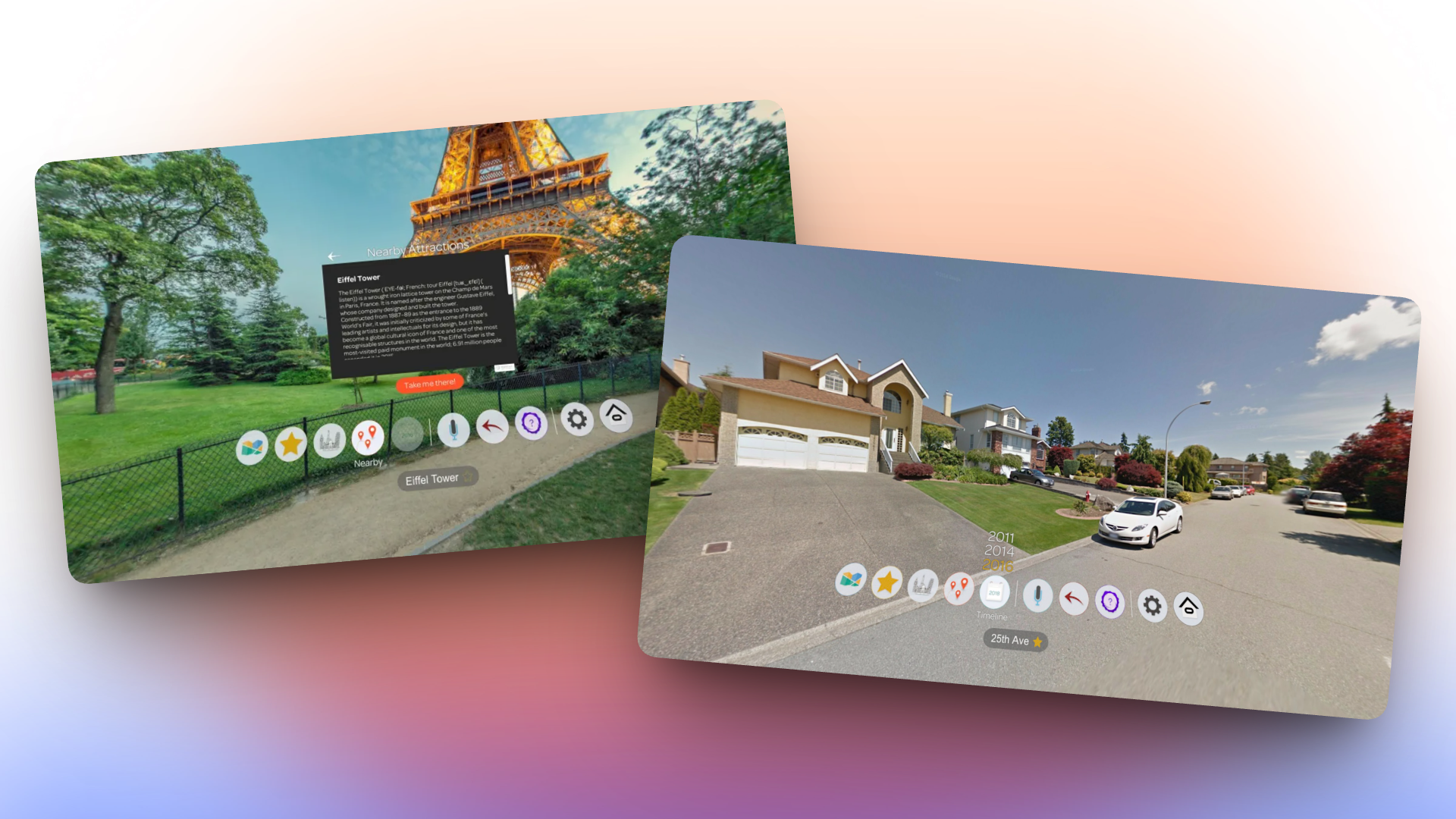
Wander VR app interface

For one of our HCI courses, our team ran a formal usability study on Wander VR, a Meta Quest 3 app that lets you explore anywhere in the world through Google Street View. We wanted to understand how new users actually experience the app, not just whether they could complete tasks.

We expected to find interface problems. We did. But we also found something we weren't looking for, and it ended up being the most interesting part of the whole project.

Team & My Role

  • Helped design the study protocol and write the task scenarios
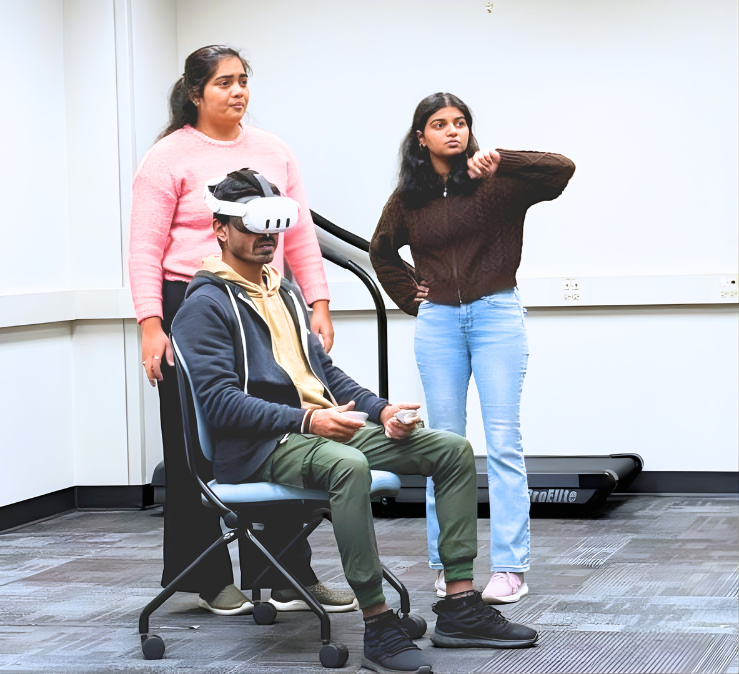
  • Ran the moderated sessions in person with all three participants
  • Did the qualitative analysis and pulled out recurring themes
  • Wrote up the design recommendations based on what we observed

Quantitative Finding

64 / 100 (N=3)

Indicative System Usability Scale (SUS)

Marginal

Qualitative Insight

Emotional Resonance > Usability

When users found a place that meant something to them personally, the broken controls stopped mattering. They kept going anyway.

Three things we wanted to understand.

VR usability isn't just about whether buttons work. It involves the body, the space around you, and how the experience makes you feel. We structured the study around three questions that we thought would give us a complete picture.

Learnability

Could someone pick this up and figure it out on their own? In VR, getting lost in the interface isn't just frustrating, it's disorienting in a way a regular app isn't.

Friction Points

Where exactly did things break down? We didn't just want a pass/fail. We wanted to know the specific moments where users got stuck, confused, or gave up.

Physical and Emotional

Most usability studies stop at task completion. We included this lens because VR is a physical experience, and we wanted to capture discomfort and delight as real data points.

The Core Challenge

"Clunky controls, confusing navigation, and the risk of motion sickness can quickly turn a magical experience into a frustrating one. How effectively does Wander onboard new users?"

How we ran the study.

We used a mix of quantitative and qualitative methods so we'd have both a score to point to and actual observations to back it up. Sessions were held in person in a controlled lab setting.

Moderated Usability Testing System Usability Scale (SUS) Simulator Sickness Questionnaire (SSQ) In-depth Interviews Live Screen Observation
01

Literature Review

Surveyed VR usability challenges and best practices

02

Study Protocol

Created a consistent, repeatable testing script and task list

03

Pilot Testing

Refined the script and identified procedural issues

04

User Sessions

Moderated, in-person tests with 3 participants

05

Analysis

Synthesised SUS data and qualitative themes

Participants

We recruited 3 university students with different levels of VR experience, ranging from someone who had never worn a headset to someone who used VR regularly. That range was intentional, it let us see where the app failed regardless of familiarity.

Task Scenarios

1. Open Exploration

"Explore freely." Select a location directly from the main map interface without using search.

Key Task

2. Targeted Search

Search for a specific, meaningful location (their hometown) using the search function.

3. Spontaneous Teleport

"Get lost." Use the Random Teleport feature to visit an unknown location and orient yourself.

Data Collection Instruments

Pre-Task

Baseline Questionnaire

Collected demographic data and assessed baseline susceptibility to motion sickness using the Simulator Sickness Questionnaire (SSQ).

During Session

Live Screen Observation

We cast the user's in-headset view to a screen to observe behaviour, hesitations, and errors in real-time — without interrupting the session.

Post-Task

System Usability Scale

Measured perceived usability using the SUS to generate a quantitative score for comparison against established benchmarks.

Post-Task

In-depth Interviews

Gathered rich qualitative feedback about frustrations, moments of delight, and emotional responses that questionnaires alone couldn't capture.

The moment that changed
what the study was about.

Task 2 asked participants to search for somewhere personally meaningful to them. For P3, an international student, that meant searching for her hometown in India. We weren't prepared for what happened next.

"This is my home... woww amazing. I don't know when this picture was clicked, but if my dog was outside then you could have seen my dog."

P3 · Targeted Search Task · Searching for hometown in India

She recognised her own house. She started looking for her dog. The task was basically forgotten at that point. She just wanted to explore. It was one of those moments where you stop taking notes and just watch.

It made me rethink what we were actually measuring. A 64 SUS score says the app has problems. It doesn't say anything about what happens when someone finds their street. Both things are true, and a study that only captured one of them would have missed the point.

Where the experience
kept breaking down.

The 64 SUS score gave us a number to anchor the findings. But the real picture came from watching people struggle in real time. Four problems came up consistently across all three participants.

Issue What Happened Why It Matters

Confusing Map Navigation

Users couldn't zoom accurately, location labels were missing, and the pointer felt shaky. Precise location selection was nearly impossible.

Prevented accurate entry into the experience at the very first step.

Lack of Contextual Awareness

Random teleportation dropped users somewhere with no place name or any identifying context shown after arrival.

Without knowing where they were, users lost all sense of presence. The disorientation was immediate.

Physical & Cognitive Discomfort

The search UI panel felt uncomfortably close to the face. Several users also reported mild nausea during the session, which showed up in the SSQ scores.

Discomfort shortens sessions. For an app built around exploration, that's a fundamental problem.

Jerky Camera Movement

Snap-based transitions caused sudden visual shifts. Multiple participants flinched visibly, and P1 asked to pause movement mid-task.

Abrupt camera movement is one of the fastest ways to trigger motion sickness in VR. It directly limits how long someone will stay in the experience.

Pattern across participants

All three hit the same walls

Even with very different VR backgrounds, every participant ran into the same four problems. That tells us these aren't skill issues. They're design issues. Someone more experienced can fumble through a shaky pointer. A first-time user just stops.

The tension we kept coming back to

The app works, just not early enough

P3 hit all the same friction as everyone else. But she found her street, and nothing else mattered after that. The app clearly has something. The problem is that most users will give up before they ever get to their version of that moment.

Recommendations rooted
in what we saw.

These came directly from things we watched happen in the sessions. Each one is tied to a specific moment, not a general principle.

Contextual Feedback

All three participants used Random Teleport and landed somewhere with zero context. P2 spent about 30 seconds just rotating and looking around before giving up trying to figure out where they were. Presence broke completely.

Show the location name right after teleporting. A simple fade-in would do it. Users just need to know where they are.

Ergonomic UI

More than one participant said the search panel felt like it was right in their face. One described it as uncomfortable to read. When the interface breaks the illusion of being somewhere real, the whole point of the app falls apart.

Move UI panels further back, closer to arm's length. It's a spatial positioning fix, not a redesign.

Clearer Selection Feedback

We saw participants click the same spot two or three times because nothing on screen confirmed their input had registered. For P1 especially, every interaction felt uncertain. The real problem wasn't the controller, it was that the app gave no visible response.

Add a clear visual confirmation when something is selected, a highlight or a brief animation that closes the feedback loop. The Quest 3 controllers support haptics too, so a small vibration on top would reinforce it further.

Locomotion Comfort

P1 asked to stop moving within the first few minutes because the snap-based camera was making them nauseous. Snap locomotion exists for a reason and some users do prefer it. But defaulting to it means the very first thing a new user experiences is the thing most likely to make them sick.

Switch the default to smooth locomotion. Keep snap available in settings for users who want it. It's a one-line config change with a significant impact on first impressions.

"I came in knowing how to measure usability.
I left knowing that wasn't enough."

Before this study, I thought good research meant clean data and a strong SUS score. Watching P3 find her street changed that. She wasn't completing a task anymore. She was home. And no questionnaire captured that.

The thing I'll take from this is that in-person observation is irreplaceable, especially in VR. People can't always tell you they're confused or overwhelmed, but you can see it. A 64 and a moment of genuine joy can coexist in the same session. Both are real findings.

VR usability study session

Next Case Study

Redesigning Craigslist to restore trust
and improve usability in a marketplace.

View Project →